 Damwha
Knows who is speaking
Voiceprint-based speaker identification. Enroll a speaker once and they're recognized in every later conversation.
Free and open source · macOS
Record a conversation and Damwha keeps track of who said what, and when. Search for it and jump straight to that moment in the original audio.
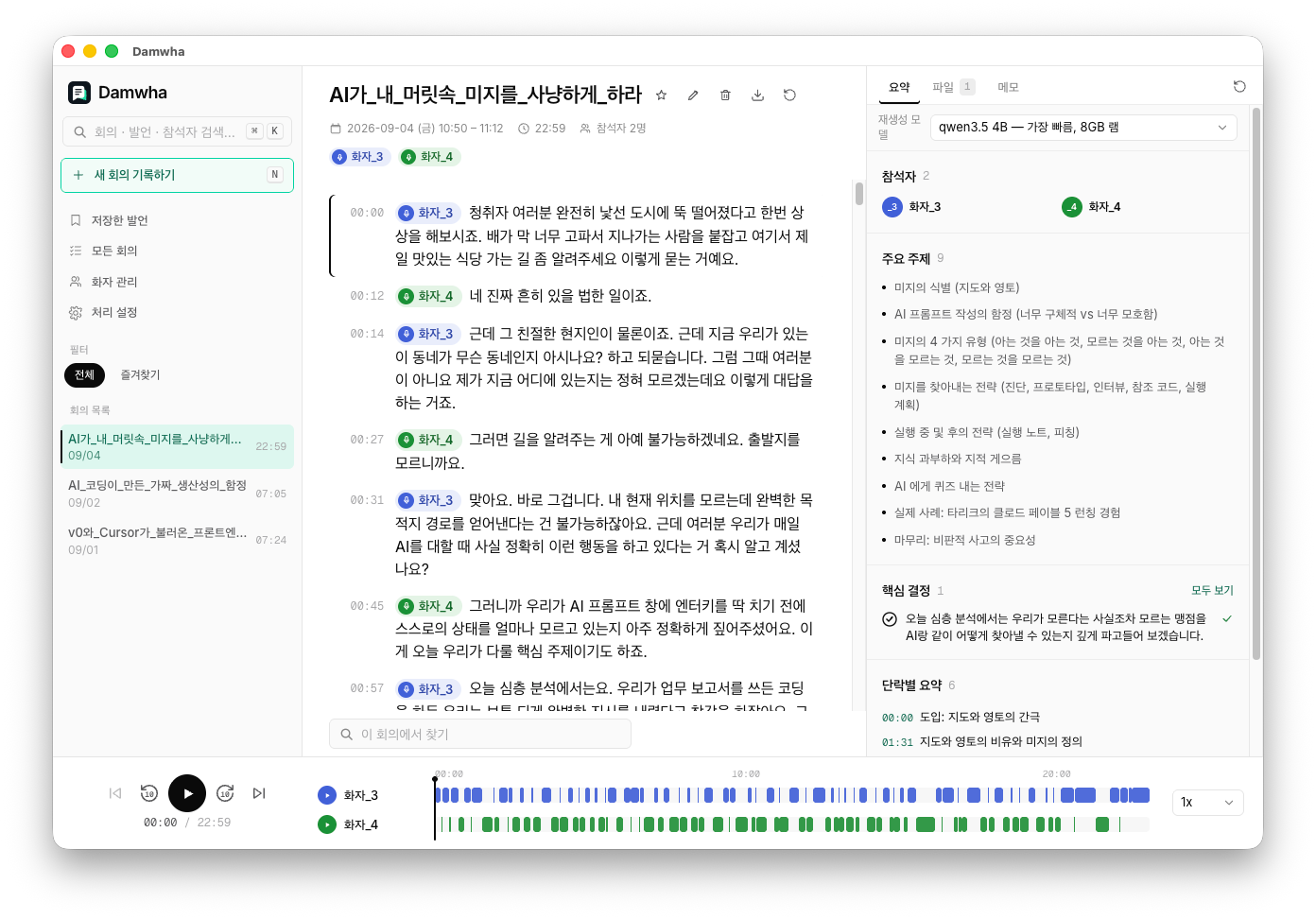
Memory fades, and finding one line in a long recording is hard. Damwha tells speakers apart by their voices, and once it knows someone, it recognizes them in every other conversation too. Every line is saved with its text, audio and the turns around it.
Search every conversation, press Enter, and land on the exact second — the line highlighted, the audio cued up.
Voiceprint-based speaker identification. Enroll a speaker once and they're recognized in every later conversation.
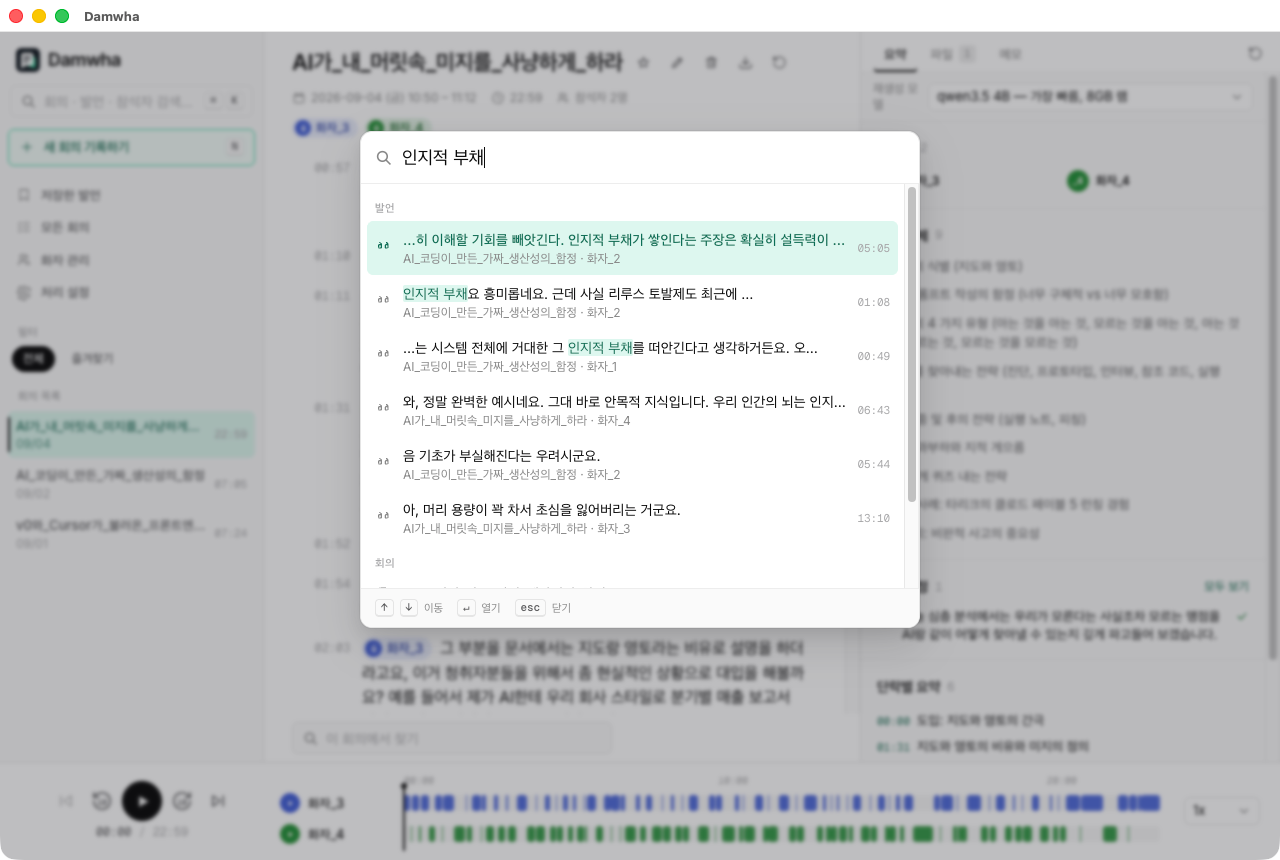
Hybrid search — meaning and keywords — over every utterance and conversation, from any screen.
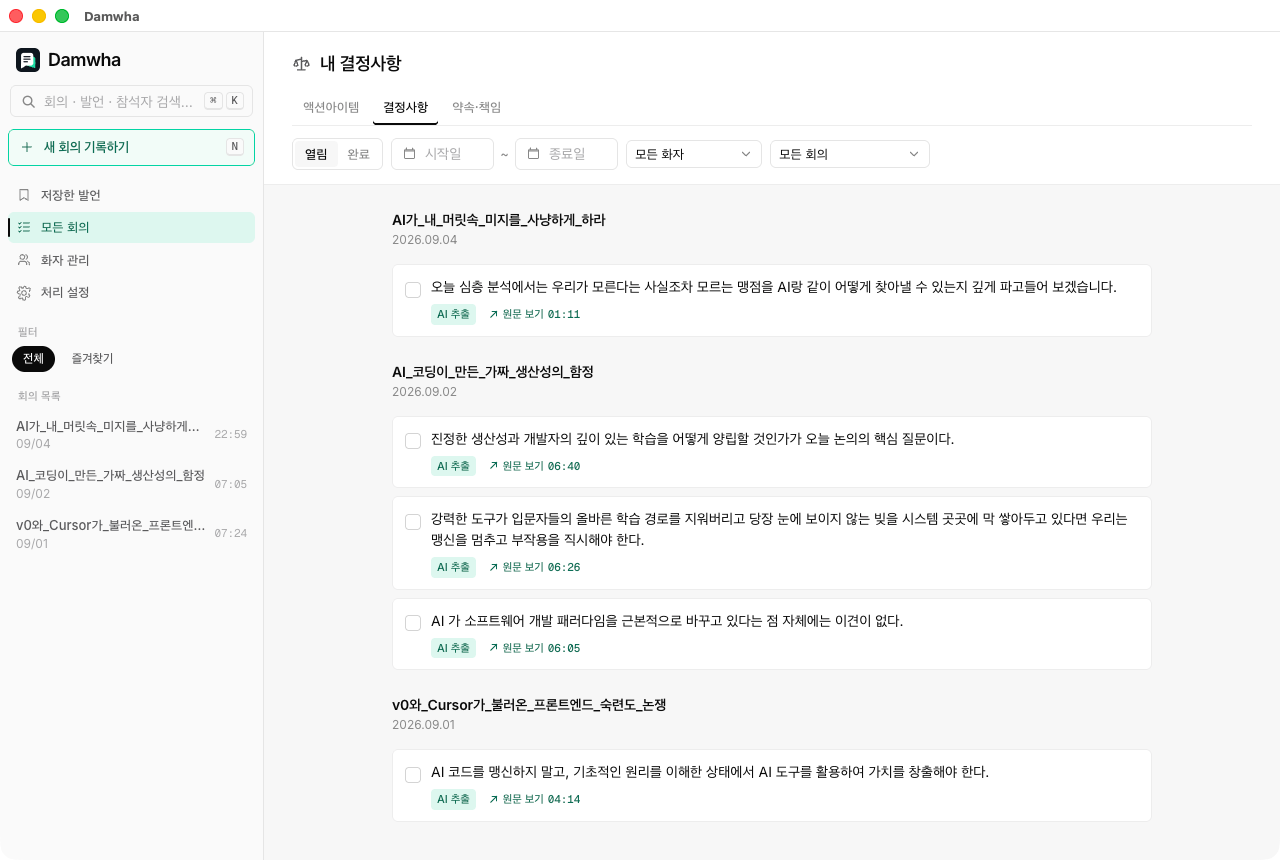
A local LLM pulls them out of each conversation, each with a link back to the evidence. Edit freely — re-extraction keeps what you touched.
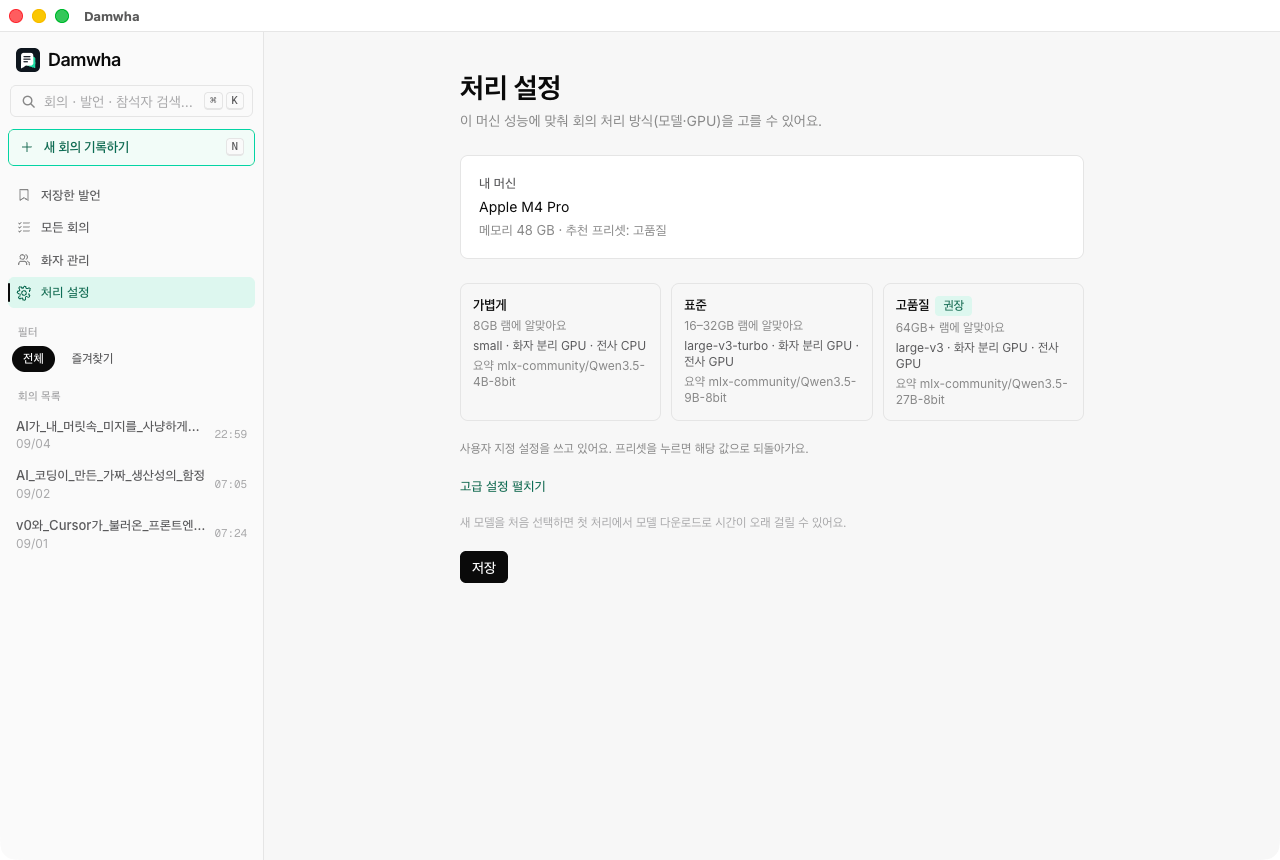
Damwha reads your chip and memory and recommends a preset. Summaries come in the transcript's language, Korean or English — a Korean meeting can be summarized in English.
No cloud ML. Transcription, speaker identification, search and summaries all run on your Mac, and voiceprints stay on disk. Models download once, the first time they're needed — your recordings never leave the machine.
Damwha shows no recording notice. It stores a voiceprint for everyone in the conversation, not just you. Getting consent — and following the law where you are — is on whoever runs it.
Yes. Damwha is open source under the MIT license.
Only to download models the first time they're used and to check for updates. Recording, transcription and search work offline.
No. The ML pipeline runs on Apple's MLX, which needs Apple Silicon.
English UI is rolling out. Settings and the app menu are translated, and the remaining screens follow in upcoming releases. Conversations in Korean, English, Japanese and Chinese can be transcribed, and summaries can be written in Korean or English.
Yes. Live recording shows a running transcript preview, and the full pipeline runs when you stop.
The app checks GitHub Releases and tells you when a new version is out. Download the new DMG and replace the app — your data stays.
Yes. Before a new version upgrades the database, Damwha keeps a snapshot, and the app menu can restore it.
No. The sample conversations are AI-generated (Google NotebookLM Audio Overviews), processed by the real pipeline.